Our Journey: From Research Lab to AI Vision Suite
With over two decades of continuous development, PhenoCapture AI was born out of genuine scientific necessity. As researchers conducting our own complex image analysis studies, we developed and refined these tools to solve real-world problems in the lab.
2000: The Beginning
The roots of our software trace back to the year 2000. Originally named EzImgAnalyzer, the project started as a dedicated internal tool to aid our own scientific image analysis research. It provided essential functionalities for image capture, color intensity analysis, region extraction, measurements, and basic filtering, serving as the trusted foundation for our laboratory work for over a decade.
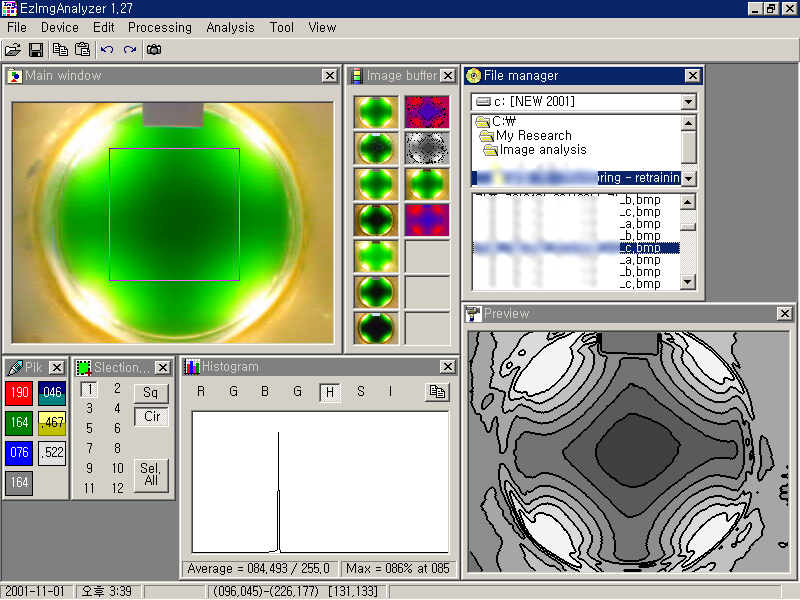 The original EzImgAnalyzer interface (circa 2000)
2010: The Launch of PhenoCapture
By 2010, the demands for high-definition live capture, automation, and broader analytical tools had grown significantly. We completely rewrote the software and officially launched it to the public as PhenoCapture. Over the next 15 years, we continuously integrated a wide variety of new features, ensuring uncompromising stability through rigorous, long-term testing. As a result, it evolved into a highly robust image capture and analysis program.
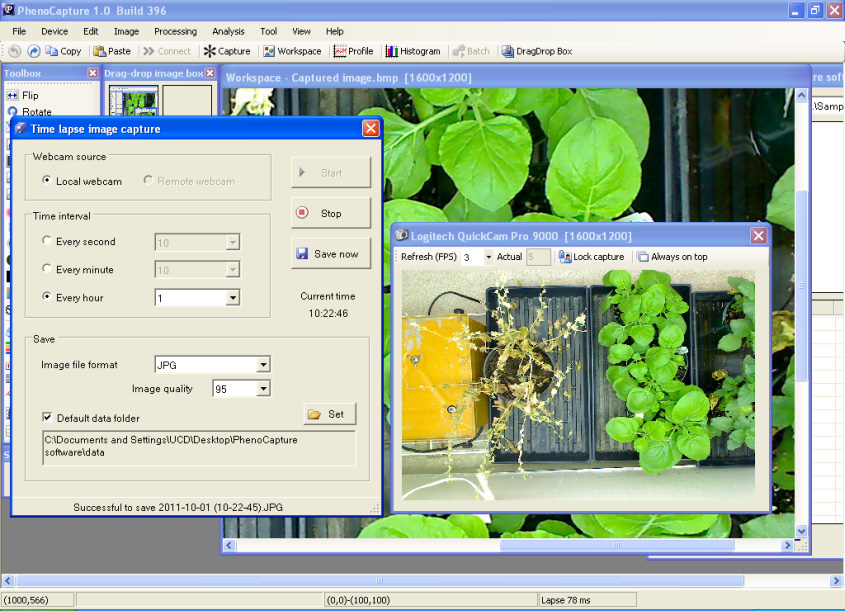
PhenoCapture classic version (2010-2025)
2026: PhenoCapture AI
We introduce our most ambitious milestone yet. PhenoCapture AI is not a mere version upgrade of our classic software; it is a completely new application built from the ground up. Driven by a modernized, high-performance image processing engine, it seamlessly integrates on-device Deep Learning and delivers lightning-fast real-time previews. Furthermore, we expanded its horizons—breaking away from being strictly a scientific tool, it now offers versatile, intuitive features that make everyday photo editing effortless for the general public.
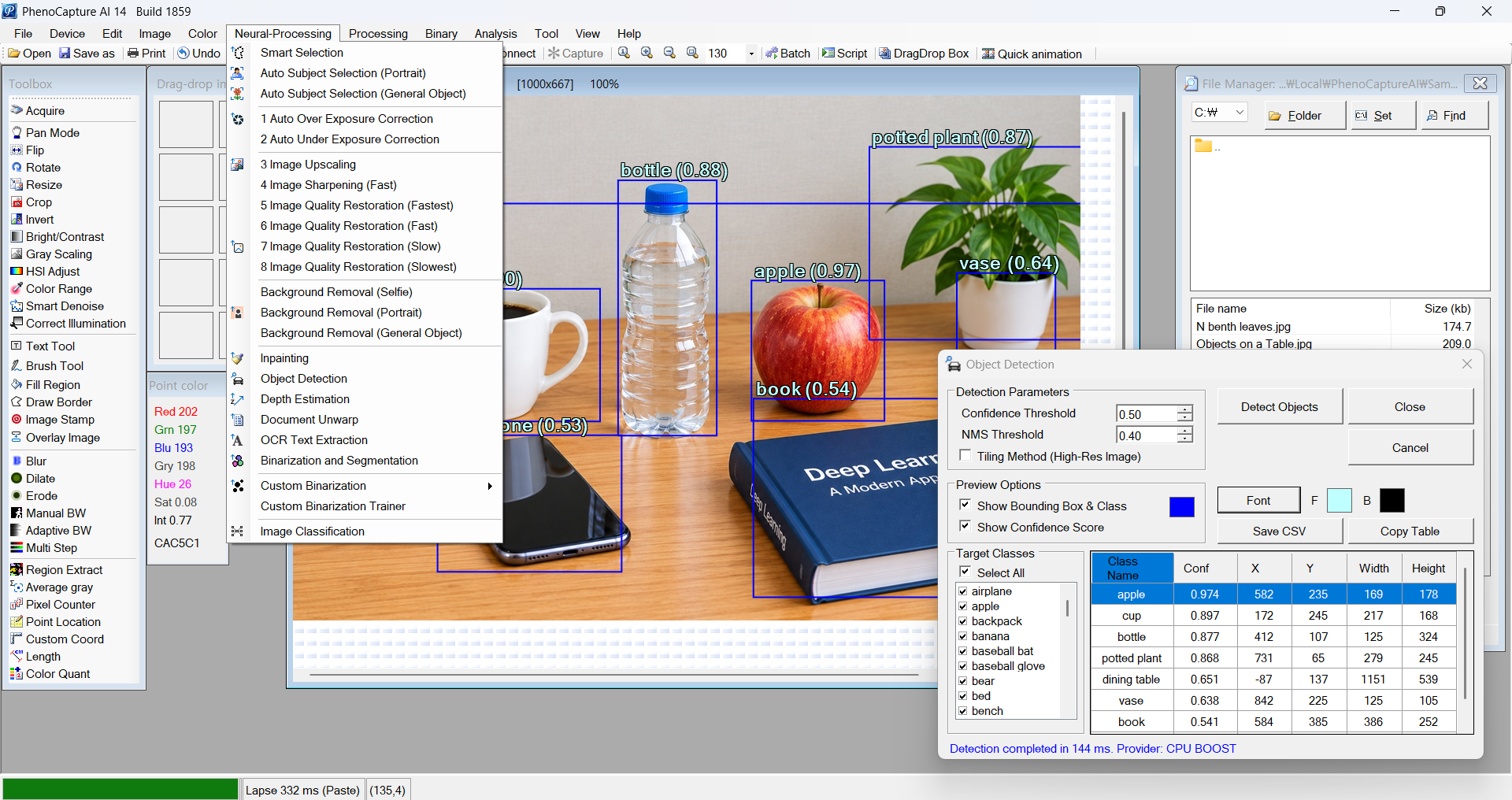
The all-new PhenoCapture AI (2026)
Built on Over 25 Years of Expertise in Image Processing and Analysis
Having dedicated over a quarter-century to hands-on research in image processing and analysis, we are true experts in this field. Every line of code in PhenoCapture AI reflects our deep domain knowledge and unwavering commitment to visual science, ensuring that you get a reliable tool built on decades of proven excellence.