A Complete Guide to the PhenoCapture AI Scripting API
PhenoCapture AI features a highly flexible, multi-language Scripting and Automation Engine that serves as your ultimate productivity multiplier. Designed specifically for bio-imaging researchers, lab technicians, and workflow developers, PhenoCapture AI enables you to programmatically automate routine tasks, execute complex multi-core image processing algorithms, and build customized analytics pipelines.
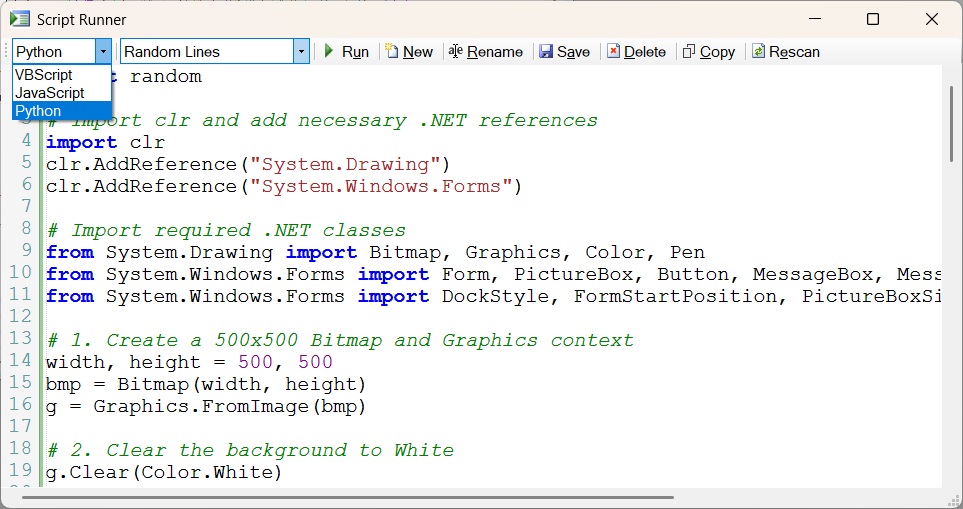
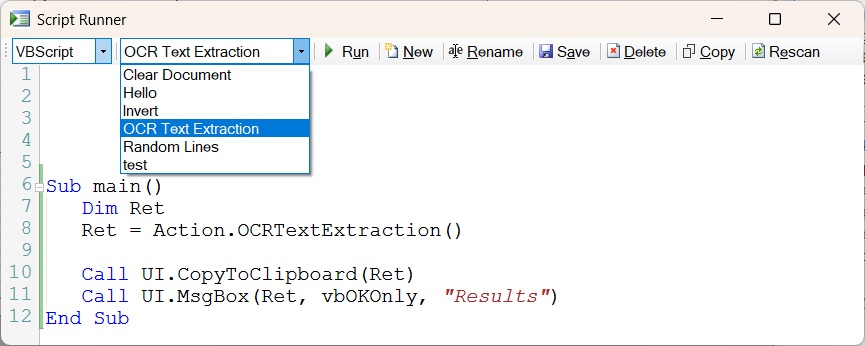
Whether you prefer traditional Windows desktop macros, modern asynchronous web standards, or scientific data-analysis environments, PhenoCapture AI offers complete API capability across VBScript (.vbs), JavaScript (.js), and Python (.py).
💡 Tip: The Perfect Companion Tool
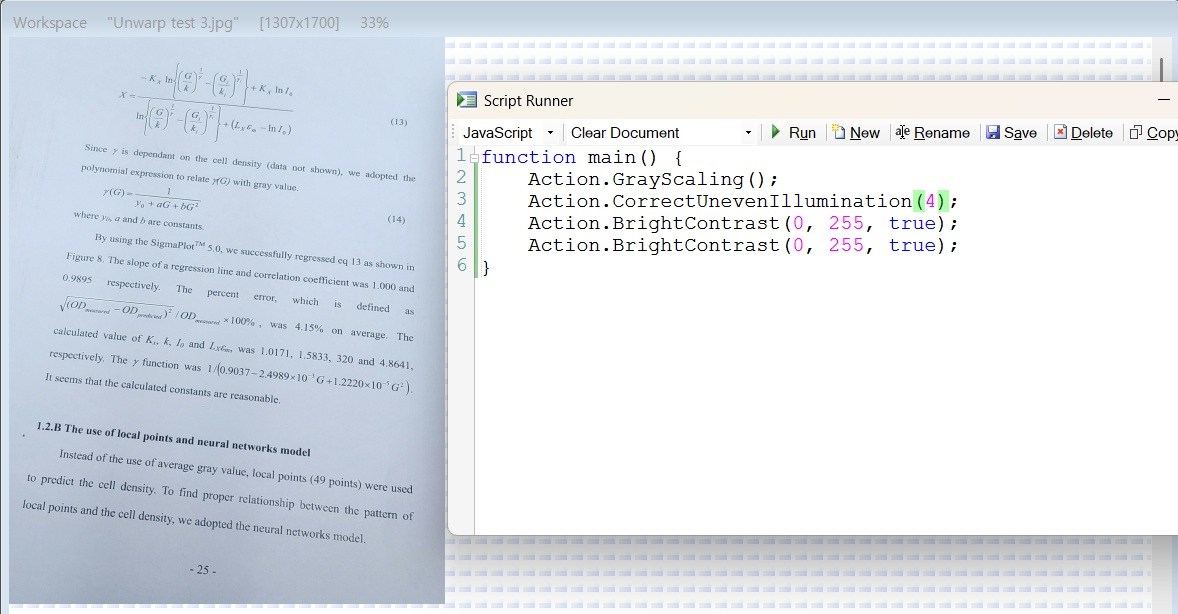
Want to write, debug, and execute these API scripts interactively? Use the built-in Script Runner! It features syntax highlighting, smart error tracking, and instant execution. Check out the Complete Guide to the Script Runner to learn how to manage your code directly within the application.
Key Features & Scripting Capabilities
- Multi-Language Parity: Experience 100% feature coverage regardless of your preferred scripting language. All core classes, methods, and parameters are fully mirrored across VBScript, JavaScript, and Python with optimized native syntax conventions.
- Multi-Core Hardware Acceleration: Built for performance, PhenoCapture AI’s parallel processing engine automatically distributes intensive image processing algorithms across all available processor cores (utilizing OpenVINO CPU acceleration and AVX-512 vector instruction sets).
- High-Speed Direct Pixel Access: Bypass slow graphics buffers with fast LockBits memory mapping. Programmatically access and manipulate 2D/3D Byte or Integer matrix arrays in
ImgProcfor custom pixel-level analytics. - Precise Line-Level Error Diagnostics: If a script encounters an exception, PhenoCapture AI immediately catches the error and reports the exact line number along with a descriptive error message, making script debugging fast and simple.
- Thread-Safe Execution & Cancellation Control: Includes real-time cancellation tokens (
UI.IsCancelled) to safely interrupt long-running loops upon user request, as well as message yielding (UI.YieldEvents) to keep the user interface smooth and responsive.
Script File Management & Execution Environment
PhenoCapture AI provides a highly intuitive and modular environment for managing your custom automation programs:
- Centralized
ScriptsFolder: All custom programs are stored cleanly in theScriptssubfolder within the PhenoCapture AI installation directory. Simply saving your code files into this folder makes them instantly available inside the application. - Automatic Language Detection: PhenoCapture AI automatically identifies the correct scripting engine based on the file extension:
.vbs— VBScript files.js— JavaScript files.py— Python files
- Interactive Process Cancellation: Scripts continuously monitor cancellation requests via
UI.IsCancelled(), allowing you to stop intensive processing loops cleanly at any time without terminating the main program.
Choose Your Scripting Language
Click on any of the language references below to view full method signatures, parameter specifications, return types, and complete code examples for your preferred environment:
VBScript / Visual Basic API Reference
The native Windows scripting engine (.vbs). Best for quick desktop macros, legacy Visual Basic migration, and lightweight automated image acquisition workflows.
JavaScript API Reference
Modern asynchronous scripting (.js) with async/await support and standard camelCase conventions. Ideal for web developers and modern automated processing pipelines.
Python API Reference
Scientific snake_case programming interface (.py) designed for bio-image analytics, AI model integration, NumPy array manipulation, and batch data processing.
The 6 Core Scripting Helper Objects
PhenoCapture AI organizes all programmatic features into six clean, specialized helper objects. Each object provides intuitive methods tailored to a specific functional domain:
| Object | Description & Key Responsibilities |
|---|---|
Region |
Provides complete programmatic access for defining, modifying, inspecting, and manipulating ROI (Region of Interest) selections. It supports complex Multi-ROI compositions via logical addition/subtraction (AddRectangle, SubtractMaskImage), specific geometries (Lines, Rectangles, Circles, Polygons, Freehand Paths), dynamic boundary coordinate extraction, and direct conversion to/from pixel-accurate binary masks (GetBinaryMaskImage). |
Action |
Wraps PhenoCapture AI’s application menu features into macro-level programmatic commands. While ImgProc provides raw atomic image operations, Action allows you to execute multi-step composite features programmatically—such as applying full menu actions, non-destructive undo/redo history tracking, AI background removals, and camera hardware capture triggers. |
ImgProc |
Direct high-speed multi-threaded pixel processing engine. Grants granular access to all atomic image processing functions—including color space transformations (RGB, HSI, CMYK, CIELAB, rg-Chromaticity), advanced parallel filters, 2D/3D matrix array conversions, topological skeletonization, Watershed segmentation, and 3D STL surface mesh generation. |
UI |
Controls user interface interaction, execution flow, and dialogs. Provides execution cancellation checks (UI.IsCancelled), UI message processing yielding (UI.YieldEvents), customizable modal message boxes (UI.MsgBox), and thread-safe system clipboard operations (UI.CopyToClipboard). |
DNNClassifier |
Provides DNN-based Image Classification capabilities. Allows scripts to dynamically load trained ML.NET classification models (LoadModel) and predict class labels (Predict) for images directly from the workspace or specific ROI buffers. Optimized to cache models in memory for rapid batch classification. |
ObjectDetector |
Provides YOLOv3 ONNX-based Object Detection. Features robust AI inference with optional Tiling (for high-resolution images), Non-Maximum Suppression (NMS), and Confidence thresholding. It allows scripts to intelligently count specific classes (GetClassCount), extract bounding box coordinates, and generate visually rendered images overlaid with labels and boxes (GetRenderedImage). |