✨ A Complete Guide to Black & White Dithering
PhenoCapture AI’s Black & White Dithering tools provide professional-grade algorithms to convert your grayscale or color images into crisp, 1-bit black and white representations. Perfect for preparing images for specialized printing or artistic styling, you can choose between two distinct algorithms: the ultra-fast Ordered Dithering or the highly detailed Floyd-Steinberg error diffusion.
[Sample: Ordered Dithering]
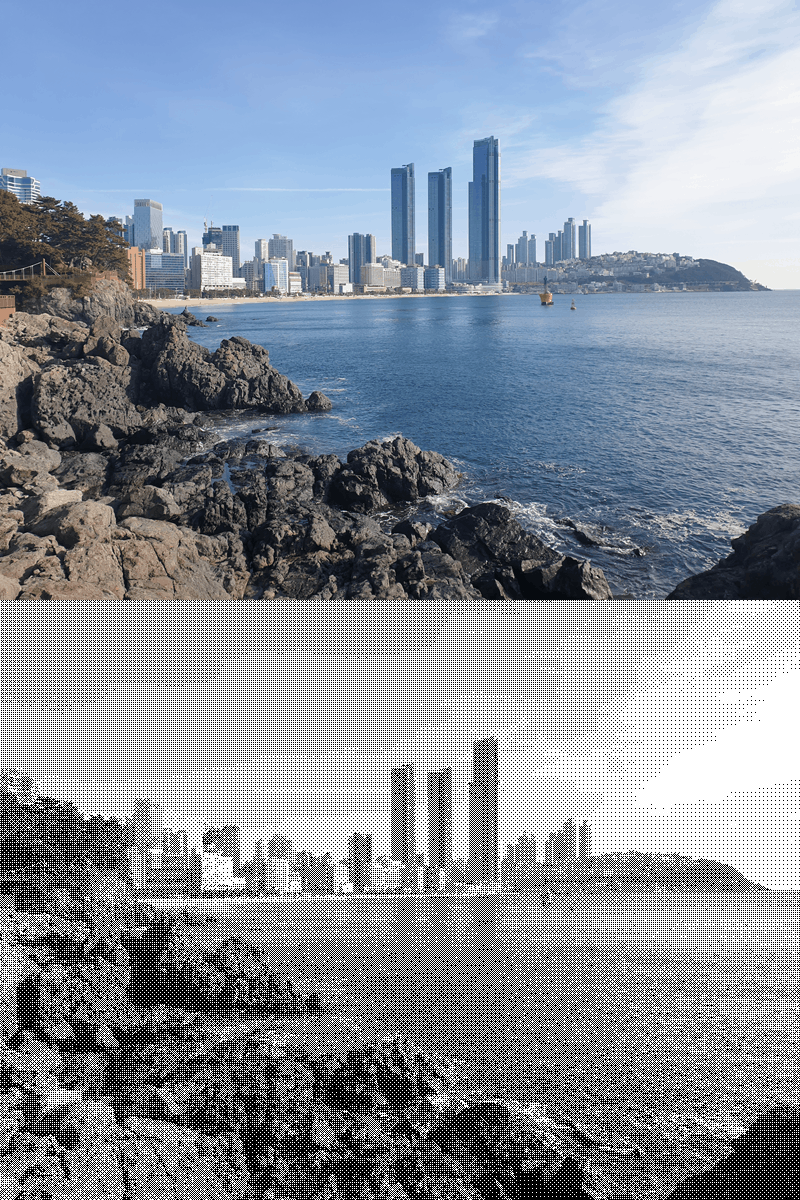
[Sample: Floyd-Steinberg]
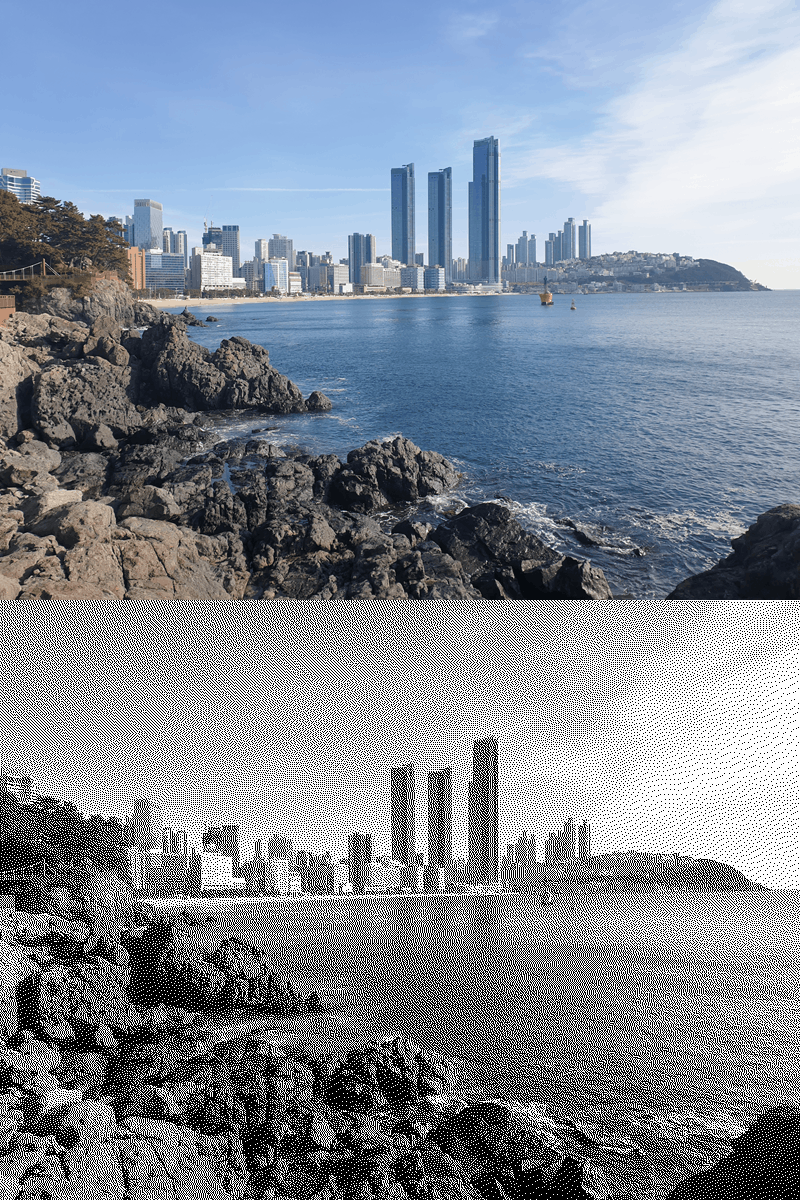
💡 Key Features
- Two Powerful Algorithms:
- Ordered Dithering: Uses a precise 4×4 matrix to create structured, halftone-like patterns. This method is incredibly fast and highly parallelized.
- Floyd-Steinberg (Error Diffusion): Delivers superior visual quality by mathematically pushing quantization errors to neighboring pixels, creating smooth gradients and retaining fine details.
- Smart Regional Masking: Want to apply dithering to just one specific object? Both algorithms seamlessly respect PhenoCapture AI’s custom masking boundaries. If a mask is active, the dithering is isolated to your selection while preserving the rest of the original image!
- Multi-Core Parallel Processing: Built for speed! Both tools utilize advanced
LockBitsmemory access and multi-threading capabilities, utilizing your CPU’s maximum safe core count to chew through high-resolution images in record time. - Real-Time Progress Tracking: For large images, the tools feature an intelligent throttling system that reports progress in 5% increments, ensuring the UI remains responsive without slowing down the core processing.
- Undo Integration: Fully connected to PhenoCapture AI’s built-in undo engine, allowing you to quickly test both dithering methods and easily revert if needed.
🛠️ How to Apply B&W Dithering
Step 1: Prepare Your Workspace and Mask (Optional)
Load your image into the main workspace. If you only want to dither a specific area, use the advanced selection tools to draw your mask boundary. If no mask is selected, the tool will automatically process the entire image.
Step 2: Choose Your Dithering Method
Navigate to the menu and select the algorithm that best fits your needs:
- Click BW Dithering (Ordered) for a stylized, structured halftone look with instantaneous processing.
- Click BW Dithering (Floyd-Steinberg) for the highest quality detail retention and smooth gradient transitions.
Step 3: Let the Engine Work
Watch the progress bar track the transformation! (The Floyd-Steinberg algorithm processes its high-speed grayscale conversion first, followed by its meticulous error-diffusion phase).
Once complete, your workspace will instantly reflect the newly dithered image. If you prefer the other algorithm, simply use the standard Undo shortcut and try again!